
Home Page › Forums › Rock Class 101 Ukulele Lessons › Test Drive Our NEW Search & Filter Functionality!
- This topic has 30 replies, 9 voices, and was last updated 1 year ago by
 Andrew.
-
AuthorPosts
-
September 5, 2025 at 6:40 pm #75833
 AndrewKeymaster
Hi Guys! I’m happy to announce that we are making great progress with our new Search & Filter functionality! This new system will replace the 7 main search pages on our site:
Ukulele Songs
Courses
Concept Lessons
Mini Lessons
Free Lessons
Live Lessons
Gear Demos & ReviewsHere’s the test page for the NEW Ukulele Songs: https://rockclass101.com/ukulele-songs/
In this video, I’ll highlight everything that’s NEW! But I realize the video is 9 minutes in length, so if you’re short on time, I’ll summarize it below.
NOTE: Stylistically, the TEST page is not production ready. We’ll be copying the exact page layout we currently use. So please excuse how it looks at the moment. But functionality wise, everything is working!
Previously, everything was lumped together:
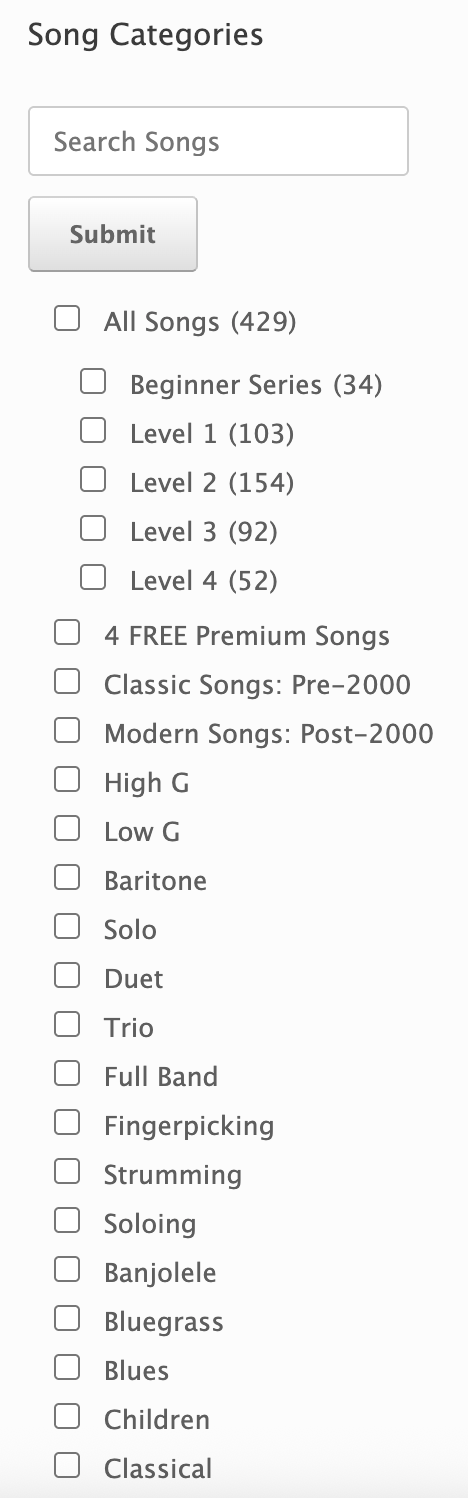
Our NEW method separates tags into categories, so that you can easily filter by what matters most to you:

The NEW categories are:
1) Difficulty Level
2) Ukulele Tuning: High G, Low G, Baritone
3) Arrangement Type: Solo, Duet, Trio, Full Band
4) Genre: Too many to list, lol! But, we added many NEW tags, like: Children Songs, Folk, Love Songs, Irish, R&B, etc
5) Seasonal: Christmas, Hanukkah, Summer, Halloween, Patriotic
6) Playing Style: Fingerpicking, Strumming, Soloing
7) Performer: You can now sort by who did the ukulele performance
8) Instructor: You can now sort by who taught the lesson
9) Specialty Ukulele: This is for the specialty instruments, like: electric ukes, banjolele, & u-bass
10 & 11) We retained the ability to search lessons. Which is great for finding a song title or searching for lessons that contain a technique, like “hammer-ons.” BUT, we added the ability to sort lessons alphabetically and by latest! Over the years, lots of folks have asked me how do you find what’s new? Now you can easily do that by sorting by latest! 🙂
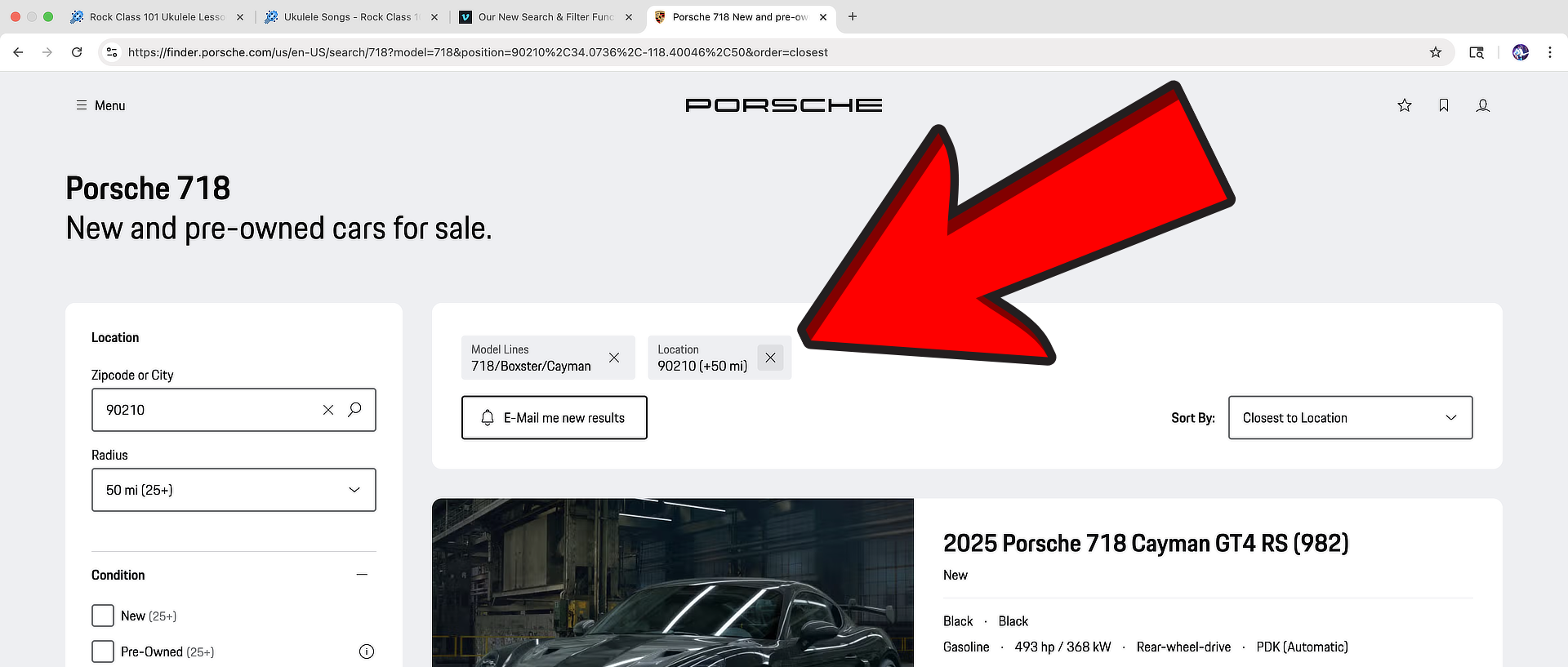
12) At the end of the video I mentioned we are adding one more functionality that is not present yet. Which is that the TAGS you select will show at the top of the page. They can also be removed. It will basically look like the one used on the Porsche site:
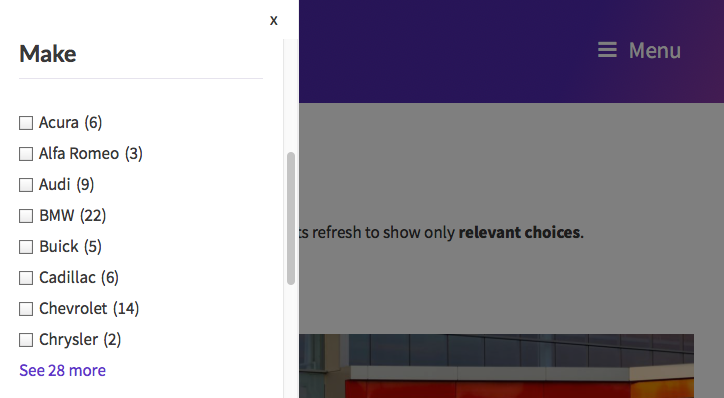
13) Mobile functionality will be significantly improved! A pop-out window will allow you to see the FULL menu! Jump to 7:46 in the video above to see this in action. But here’s a quick screenshot, showing an example, of what it will look like:
14) The last thing I’ll mention, and this is a HUGE improvement, is that the new search page loads SIGNIFICANTLY FASTER than the old. It’s literally twice as fast! I’m really blown away by how much faster it is!
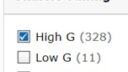
If you have any suggestions, please let me know! I could use feedback on the lesson counts shown in parenthesis (X) next to each tag. Right now, they are applied to everything. I’m not sure if that’s information overload? Lemme know what you think! We could hide some or keep it as is.
September 6, 2025 at 7:05 am #75841 otzepengParticipant
Nice! I’m glad that you’re making such a good progress. The “Sort-function” is a good idea, pop-up for mobilty-use and improved categories are also great. Congrats for this so far.
Will there be a “Dark mode” for the whole page?
September 6, 2025 at 11:11 am #75847 dirk55Participant
This upgrade is a real improvement in terms of usability. The added sorting feature works great.
The separations in the site bar work much better; the categories make searching so much easier. Once the stylistic adjustments are completed soon, it will be a great result.
Question: will you also integrate the release date of lessons into the overall system, like with the live lessons?
September 6, 2025 at 10:09 pm #75875AndrewKeymasterThanks for the kind words, y’all! Today, I was able to add more functionality, including the pop-up for mobile, and user selections now show at the top of the page. I was also able to improve the styling a bit. I’m pretty much at the point where I’ll be handing it off to our developer to finish the rest of the styling.
@otzepeng – I’d love to add this! But, unfortunately it is not possible with our current website. It is something I’ll look into for the next version of our site.
@dirk55 – I think that would be a cool feature to add and it is possible to do. I’m just not sure how relevant it would be for songs. For ex, if a casual user searches for “Greensleeves,” I’m not if it would add much value to list the date it was published. The date, to me, makes more sense to include for numbered lessons, like the monthly live lessons which show as EP001 (EP meaning: Episode), EP002, etc.September 9, 2025 at 9:33 pm #75916 The_Bumble_BardParticipant
This is looking so good!! These improvements will be so helpful as I am a big “search” person and enjoy categorization almost to a neurotic degree, so I love this so much! 😂
I personally really, really like having the “lesson count” that displays in parentheses – it is really helpful to know the number of options that are available in a given category, so I hope you decide to keep all of those! I honestly would be sad if you got rid of that, but that’s just my opinion! 🙂
Thank you so much for all the work you put into the site and everything, @Andrew! 🙂
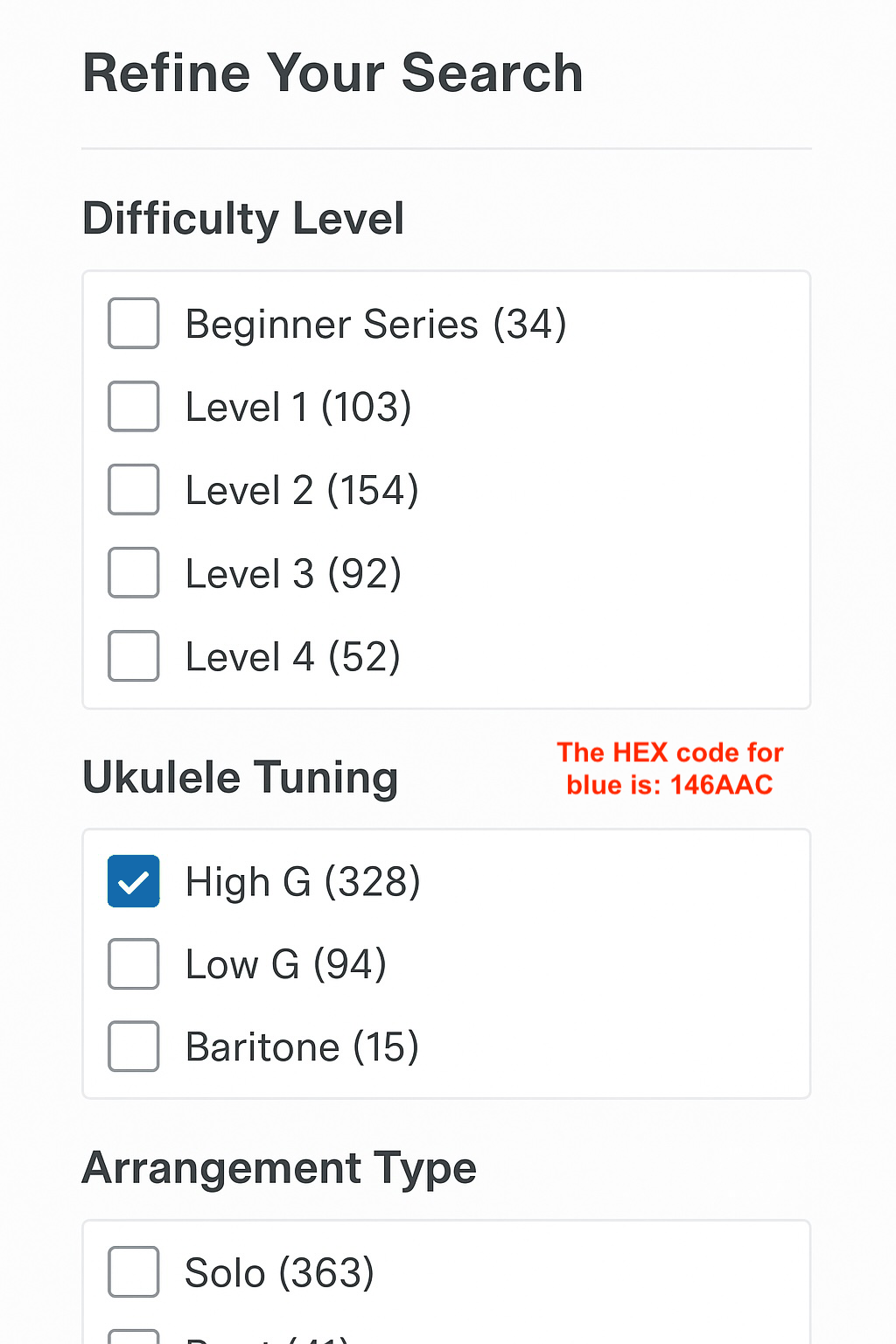
September 10, 2025 at 12:50 am #75920AndrewKeymasterThank you so kindly, Rachael! I think we are going to keep the lesson count. I think it looks pretty good, especially with a little bit of styling:
 September 10, 2025 at 3:54 pm #76023
 marianneParticipant
The updates to the search and filter functionality are amazing. The improvements will definitely enhance usability as everyone so far said. I also agree that keeping the lesson count is super helpful. I rely on it quite a bit. @Andrew, the styling/hierarchy of the last screenshot you shared before my post is much more accessible and user-friendly. Glad you are moving in that direction.
September 11, 2025 at 12:24 am #76035The_Bumble_BardParticipantSeptember 17, 2025 at 5:32 pm #76060 leb397Participant
@andrew really like the tour of the new site. I used to be frustrated by the lack of search choices and especially finding the most resent lesson. Looks like you’ve really done a great upgrade. Exciting to use it. Louisa
September 17, 2025 at 7:01 pm #76065AndrewKeymasterThanks y’all!
We’ve made great progress this week on the styling changes. If anyone has any feedback based off the latest version, please let me know asap.
Here’s the link again: https://rockclass101.com/ukulele-songs/
September 20, 2025 at 3:32 pm #76072The_Bumble_BardParticipantTo my eyes, the search looks really perfect, I wouldn’t change anything! 🙂
At first I thought the spacing between the categories looked off, like there was too much space, but I think that was just in one of the screen shots. When looking at it on that link, the layout and spacing looks perfect. Really looking forward to that, the more detailed search will be so helpful, especially in more “free-for-all” challenges!! I also really love that you can search by instructor / performer of the songs. Thank you so much for all your and your team’s work, Andrew!! 🙂
September 21, 2025 at 5:15 am #76083 janaq1Participant
Hi @Andrew,
great work on the new websites! The new filtering options are really pleasing.
But I ran into one issue and I don’t know if it’s just my web browser or if it’s set up that way (or it’s not complete for this test page).
When I select more variants in the Difficulty level category – for example Level 1 + level 2, only 3 lessons are displayed. So I think these are songs that are classified by you in both levels due to their difficulty. But I would prefer (and I believe others would too) if all songs with difficulty 1 or 2 or a combination of both were displayed, i.e. over 250 songs.
The same applies to the selection of genres. When I select Country, 3 songs are displayed. The other genres that I can select are only those in which the already filtered songs were also classified. I would prefer the option to select more genres.
In fact, for each filter category with checkboxes, I can imagine a situation where I would want to select multiple options.
I am attaching a picture for comparison with your picture.
(Before I check “High G”, the quantity is the same for all categories as in your picture.)September 21, 2025 at 11:32 am #76085The_Bumble_BardParticipant@janaq1, I do see what you’re saying about that. You mean, that if you select “country” and “love” songs, you would want to see both those categories appear as separate entities but listed together – as in ALL the love songs and ALL the country songs, not just “country love” songs? I definitely see the logic of that with the song difficulty levels, but with the song categories, I feel like the best solution might be to just do two separate searches. Select “love songs” to JUST see love songs, THEN select “country songs” to JUST see country songs, THEN a combination to find “country love songs.” Hopefully I’m following what you mean. I just don’t know how you would design the search to be able to look up the two separate categories (love songs AND country songs) AND a combination at the same time (country love songs). If the search showed country songs, love songs, and country love songs – then that’s almost too much information, I think, too broad of a search. That’s just my thought on that. 😂
I didn’t have the issue with the search only listing 3 songs, unless the search actually did narrow it down to 3 options, but I’ll let others weigh in. Those are just my thoughts.
September 21, 2025 at 5:08 pm #76086AndrewKeymasterI actually had my filter logic set up the opposite of what Jana said, but now that she’s explained it, it makes so much more sense. I initially thought that folks would want to filter down within a category (e.g., to see only songs tagged as both “Level 1” and “Level 2”), but I see now that that is too restrictive and would return a slim result. I now understand that filtering down should happen by selecting options across different categories.
The two main logical operators are AND and OR.
With Jana’s method, the OR operator is used within a single category. So, if she selects “Level 1” and “Level 2” in the “Difficulty” filter, she will see all songs tagged as either “Level 1” or “Level 2.” The search is broadened to include all songs from both levels.
The same logic applies to the “Genre” category. If she selects “Jazz” and “Blues,” the search will return all songs tagged as either “Jazz” or “Blues.”
The AND operator is what makes the filtering happen. It applies between different categories. So, assuming she selected all four options (“Level 1,” “Level 2,” “Jazz,” and “Blues”), the final result would only show songs that meet both of her selections simultaneously.
This means the end result is:
(Level 1 OR Level 2) AND (Jazz OR Blues)
Which includes these four types of songs:
A Level 1 song that is also Jazz.
A Level 1 song that is also Blues.
A Level 2 song that is also Jazz.
A Level 2 song that is also Blues.
—-
I’ve updated the filtering logic, give it a try now Jana. And TY for the feedback!
Rachael, I think the above explains it really well. This stuff is really confusing. I was confused too, I mean, I initially set it up backwards lol 😂
September 21, 2025 at 7:35 pm #76087The_Bumble_BardParticipantAndrew, I won’t lie to you, that took me multiple readings to grasp, lol, but I think I’ve got it now! Everyone else can disregard what I’m saying here because you explained it perfectly. But if I understand, you want the “and” within each category and the “or” between categories? I feel like this is getting borderline philosophical. That is so confusing, but now the search works perfectly. I just tried it. 😂
-
AuthorPosts
- You must be logged in to reply to this topic.